Configure Unity project build settings
This guide outlines the essential technical specifications and configuration settings that must be implemented in your Unity project to ensure compatibility with HyperKit and proper deployment across different platforms.
Please follow these requirements carefully to avoid potential issues during development and deployment phases.
[Unity]
- Supported Unity versions:
Unity 6000.2.15f1 (Unity 6) - Project versioning:
It is mandatory to follow semver (major.minor.patch) convention for projects using HyperKit. By default versions starts from1.0.0
[Android]
-
Min API Level: 24
-
Target API Level: 36 (Google Play requires it for new and updated apps from August 31, 2026, and HyperKit warns during a Google Play build if it is lower)
-
Maximum JVM heap size: at least 6144 MB, recommended 8192 MB. Set in Edit → Preferences → External Tools → Android section (on macOS: Unity → Settings → External Tools → Android). Per machine, not per project. Required because R8 minification with HyperKit’s ad mediation stack routinely exceeds the default heap. See Troubleshooting for symptoms and fix.
-
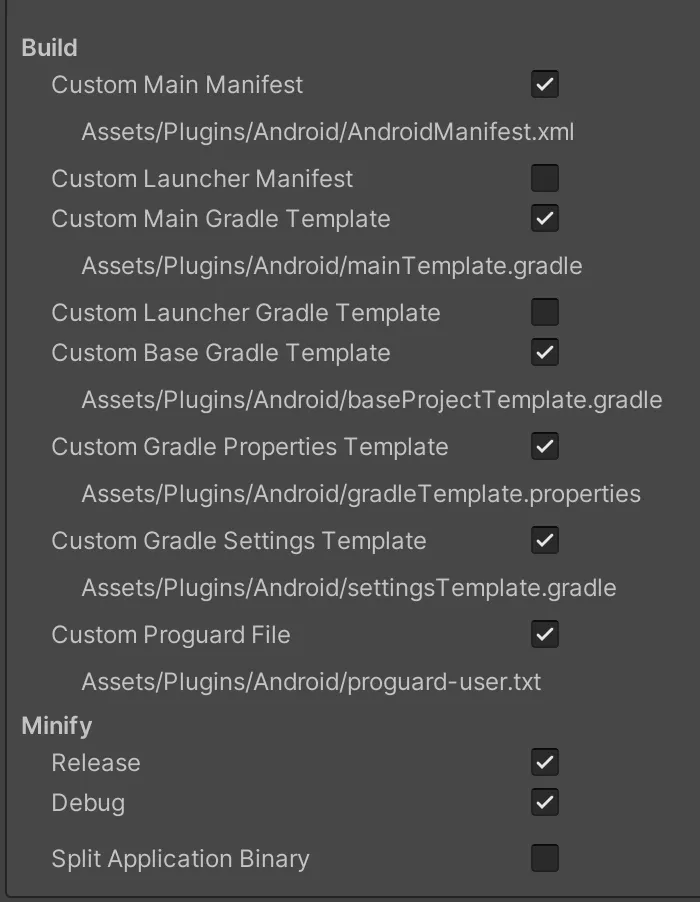
Build settings
-
In AppLovin → Integration Manager → Privacy Settings, keep Enable MAX Terms and Privacy Policy Flow turned off (HyperKit handles user consent through Gamestoty) and keep AppLovin auto-update off. The build fails settings validation if either is on. See Troubleshooting.
[iOS]
-
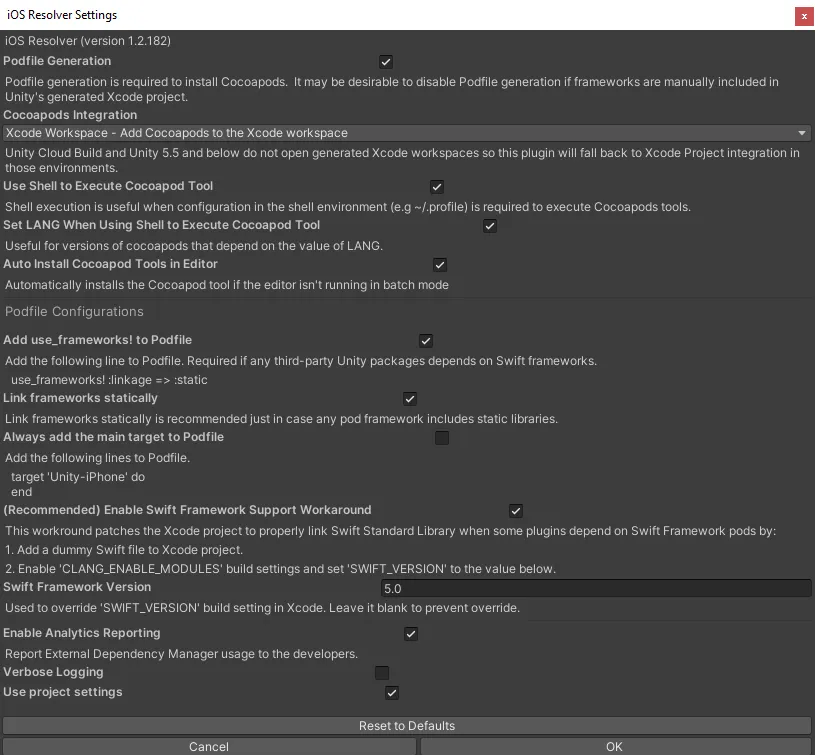
External Dependency Manager settings