

In-App Purchasing
This guide will help you set up in-app purchasing (IAP) in your Unity project using HyperKit’s IAP service. Follow these steps carefully to enable and configure IAP functionality for both Android and iOS platforms.
Prerequisite checklist:
- Install HyperKit IAP package
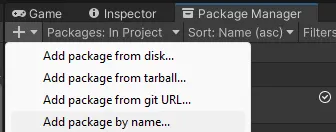
- Add package by name:
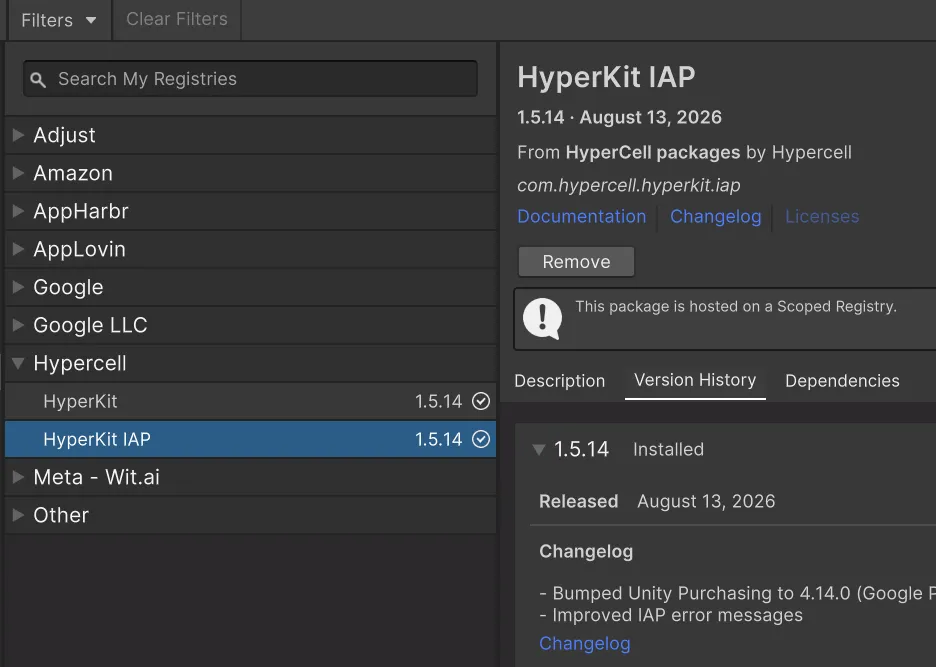
com.hypercell.hyperkit.iap - Or just find it in packages list
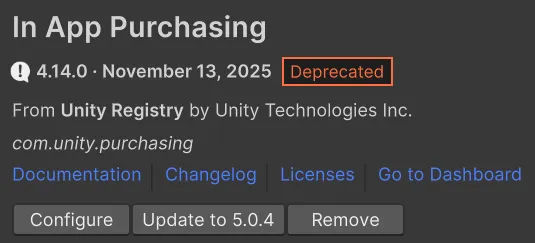
- Please make sure In App Purchasing Unity package is installed.
Currently supported version: 4.14.0, which ships Google Play Billing Library 8.0.0. Google Play requires Billing 8 for new and updated apps from August 31, 2026.
- Make sure Unity Services are linked to the correct project and you have access to it.
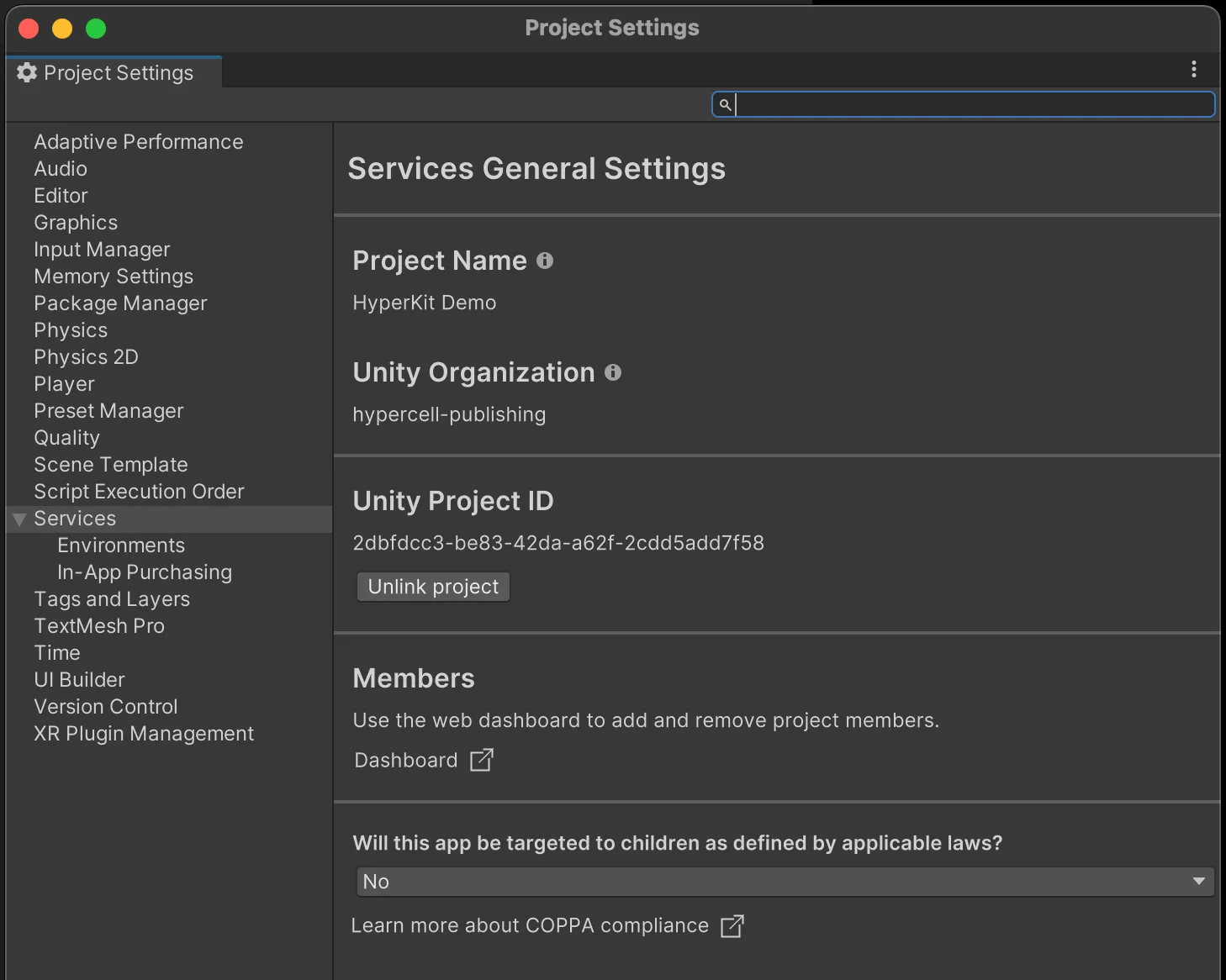
- Make sure In-App Purchases are enabled
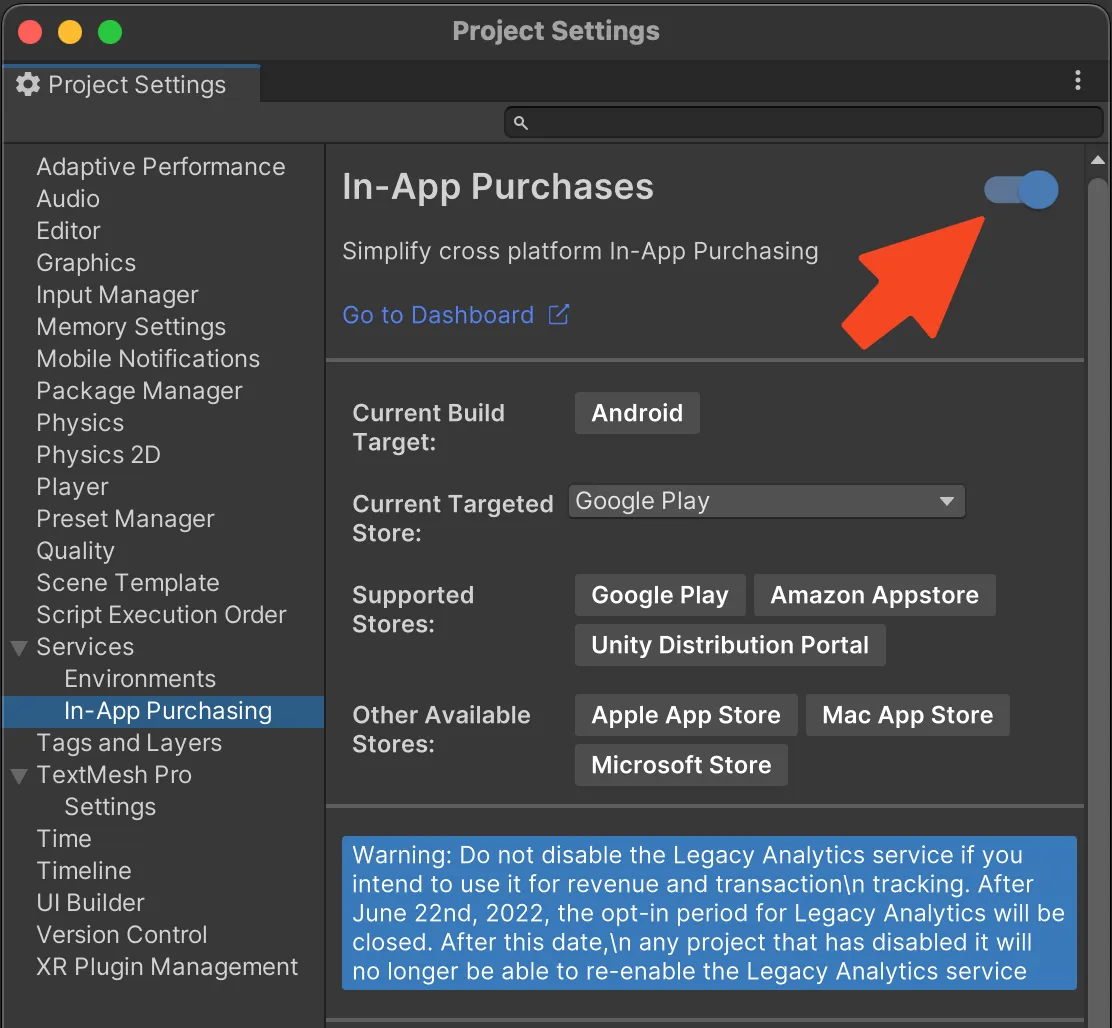
After confirming these prerequisites, you can move forward with the HyperKit SDK integration:
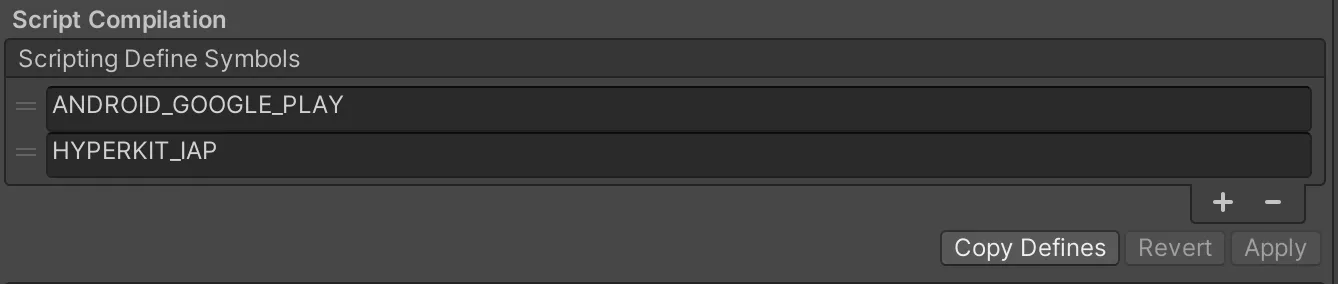
- Check that
HYPERKIT_IAPDefine Symbol is set to your script compilation settings (Android and iOS).

- Implement one or multiple IAPService.IPurchaseHandler classes
private class ConsumablePurchaseHandler : IAPService.IPurchaseHandler{ public void OnPurchase(string productId) { Debug.Log($"Consumable purchased: {productId}"); }}- Register all purchase handlers and initialize InApps manually
private IEnumerator InitIAP(){    while (!HyperKit.Initialized)    {        yield return null;    }
// Inventory.SampleConsumable holds the product id from your IAP configuration, see "Product keys" HyperKit.IAP.Register(Inventory.SampleConsumable, new ConsumablePurchaseHandler()); HyperKit.IAP.Initialize();}- Configure client-side Receipt Validation.
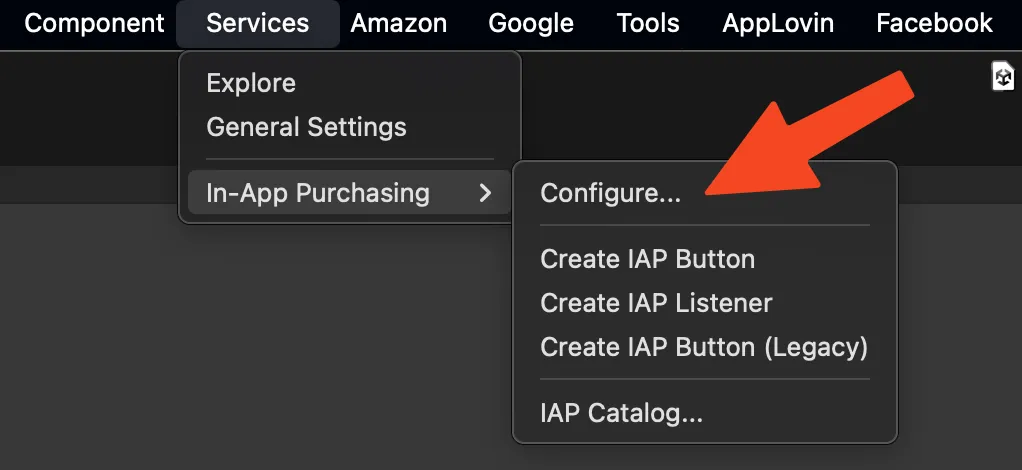
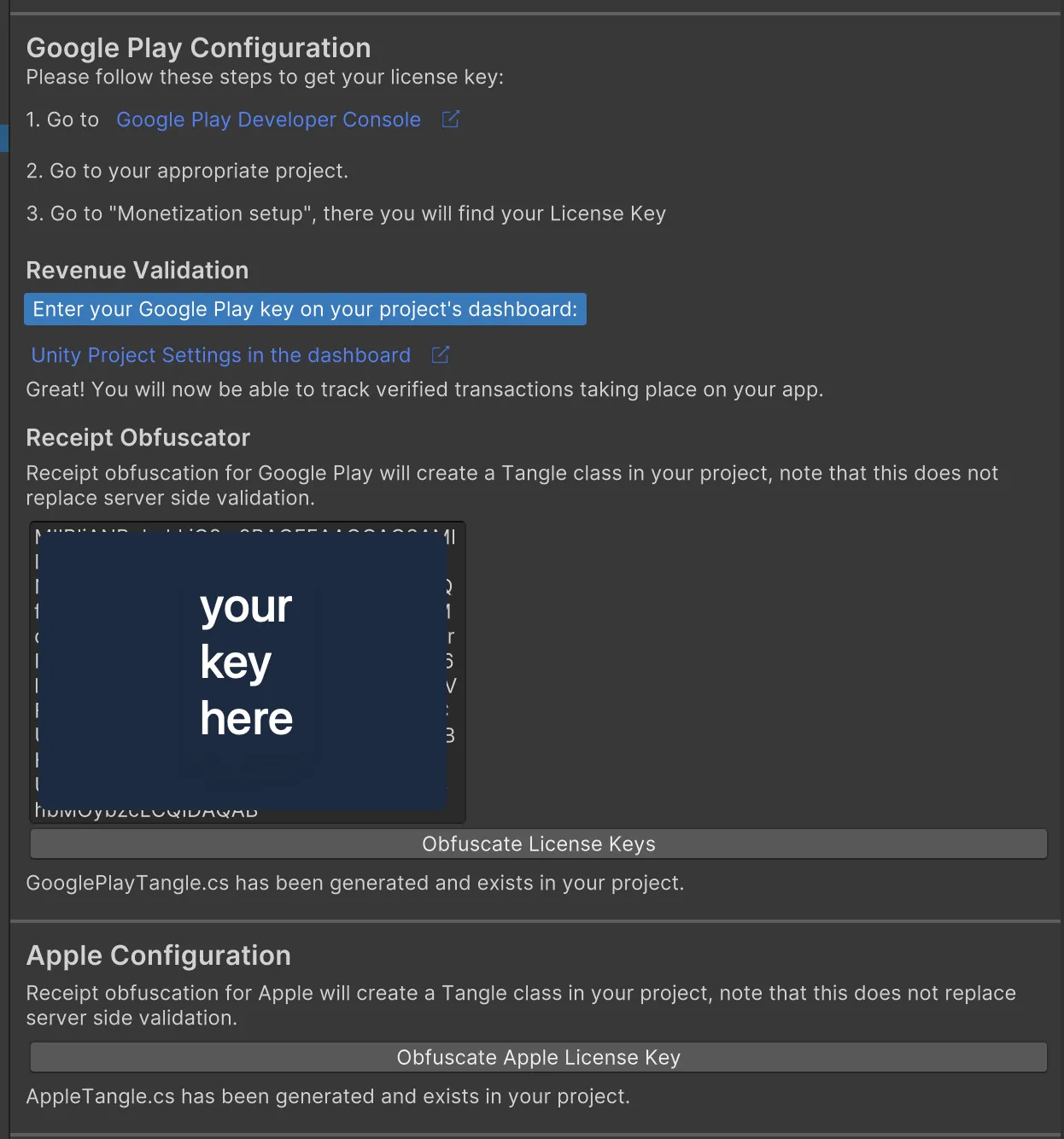
- Prepare necessary IAP Configuration.
Product keys
Section titled “Product keys”Every product in the IAP configuration your Publishing or Release Manager sets up has three fields:
| Field | Example | What it is |
|---|---|---|
key |
NoAds6 |
The HyperKit product id. Pass this string to every HyperKit.IAP method. |
type |
nonconsumable |
One of consumable, nonconsumable, subscription. |
storeKey |
iap_no_ads |
The id you see in Google Play Console, App Store Connect or the Amazon Appstore. HyperKit maps it internally. Your code never uses it. |
Your Publishing or Release Manager may call these product_id (key) and store_id (storeKey). By convention the store id is snake_case and the product id is CamelCase, so the two are easy to tell apart. Keep the price out of the store id: prices change, store ids cannot be renamed, and an id like iap_no_ads_499 stops matching what you charge.
The product id exists so that the store id can change without touching your code. If a product is re-created in the store under a new id, we repoint the mapping in the configuration and your build keeps working.
One product id covers every platform. The configuration maps it to the Google Play, App Store and Amazon ids separately, so you don’t need per-platform branches. If the same product’s key differs between platforms in your configuration, raise it with your Release Manager instead of branching in code.
Your app registry settings hold one product list per platform. An entry looks like this:
"iap": { "products": [ { "key": "NoAds6", "type": "nonconsumable", "storeKey": "iap_no_ads" } ]}So the calls take the key from the configuration:
HyperKit.IAP.Register("NoAds6", new NonConsumablePurchaseHandler());HyperKit.IAP.GetPrice("NoAds6");HyperKit.IAP.Purchase("NoAds6", "shop");Pass a store id such as iap_no_ads and nothing works: Register throws, Purchase logs an error and the store never resolves the product, and GetPrice returns an empty string on a device. In the Editor GetPrice always returns X.XX, so a wrong id still looks fine there.
NonConsumablePurchaseHandler above is your own class implementing IAPService.IPurchaseHandler, not a HyperKit type.
Now you’re ready to use IAP Purchases and increase your revenue:
- Please check if IAP Service is initialized before attempting any purchase.
HyperKit.IAP.IsReady() - Use HyperKit.IAP.GetPrice(productId) to get actual price string.
- Use HyperKit.IAP.Purchase(productId) to start purchase flow.
- After the purchase is complete, your IPurchaseHandler.OnPurchase(productId) will be triggered.
Restoring purchases:
- Purchases are restored automatically on Android, triggered on every session.
- For iOS, please call HyperKit.IAP.RestorePurchases() when necessary.
Server-side receipt validation
Section titled “Server-side receipt validation”After a purchase completes, HyperKit can send the store receipt to Hypercell’s backend for validation and forward purchase details to Adjust for attribution. This runs automatically and needs no code on your side.
Default: enabled.
To turn it off, set hyperkit.iap.remoteReceiptValidation.enabled to false in your game’s remote config (dashboard → Game Config → your game and version). No dashboard access? Ask your producer.